Offline document scanner for iPhone: what private really means
Some scanner apps read your documents on their servers. Here is how to tell the difference, a checklist you can run in five minutes, and how Skanae works.
Also available in: Deutsch · Español · Italiano · Čeština
What happens to a scan in a cloud-processing scanner
Many scanner apps work in two steps. The phone takes the picture, then the image is sent to the company’s servers, where text is recognised and the document may be sorted or indexed. The result comes back to your phone. Often an account is needed so the service knows whose documents they are.
That is not automatically sinister. Server-side processing can be powerful, and a reputable company will protect it. But it does mean a copy of your document passes through, and may stay on, infrastructure you cannot inspect, under a policy you have to read and trust.
What on-device processing changes
With on-device processing, the recognition and the classification both run on the phone’s own chip. The image is not sent anywhere to be read. The practical differences are simple:
- There is no server copy of the scan to leak, subpoena or lose.
- It keeps working with no signal.
- Speed does not depend on your connection.
The trade-off is that the model has to fit on the phone, so it is a smaller model than a large cloud service would use. For sorting everyday paperwork that is a reasonable exchange.
Why it matters for contracts, IDs, medical and financial papers
A bin bag of junk mail is not worth protecting. A scan of a passport, a tenancy agreement, a lab result or a bank statement is different. Those documents contain exactly what identity thieves and fraudsters want: full names, dates of birth, account numbers, addresses, signatures.
If a scanner uploads them by default, you are trusting that service with everything it would take to impersonate you. Fewer copies in fewer places is the simplest protection.
A checklist for judging any scanner app
You can check most of this in a few minutes, before you scan anything sensitive.
- Does it demand an account? If you must sign up to scan a page, ask why. An account is how a service ties documents to you.
- Does it work in airplane mode? Turn on airplane mode, then scan and try to read the text. If scanning or recognition fails, the processing is probably happening elsewhere. Note that an app may need the network for other things, such as a first-time download or a purchase. That is different from needing it to read your document.
- What does the App Store privacy label say? On the app’s App Store page, scroll to App Privacy. Look for “Data Linked to You” and “Data Used to Track You”. The label is self-reported by the developer, so it is a starting point rather than proof.
- Where are files stored? Look for a clear answer: on the device, in your own iCloud, or in a cloud service you pick. Be wary of apps where the answer is “our cloud”.
- Can you export and delete everything? You should be able to get your files out as ordinary PDFs and remove them without a support ticket.
- Read the privacy policy for the word “process”. Look for who processes documents, and whether they are used to improve models or shared with partners.
How Skanae handles it
Skanae was built on the on-device approach. Here is what that means in practice.
- Scanning is free and local. Capture and PDF creation happen on the phone.
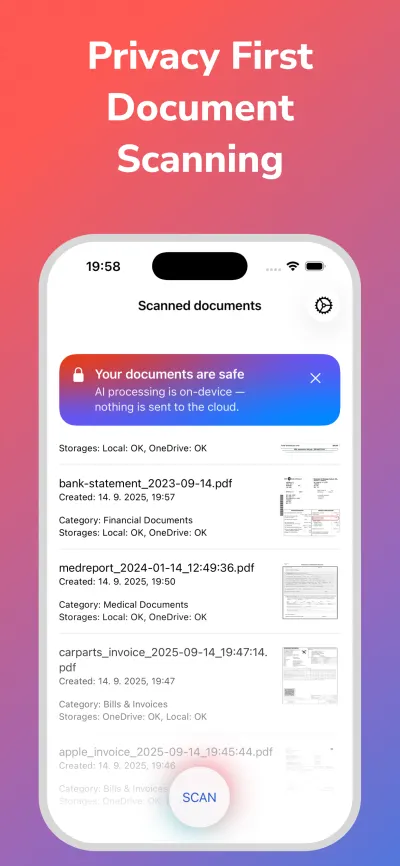
- Text recognition and classification are part of Skanae Pro. With Pro on, text recognition runs on Apple Vision, on the device, and a local AI model suggests a category and a file name on the phone. No internet is needed for either.
- There is no account. There is no sign-up screen.
- Documents leave the device only where you send them. Local storage and iCloud Drive are free; OneDrive, Google Drive and Dropbox are Pro. Scans are saved to every storage you have switched on in Settings, or only locally if you switch the rest off.
What the app does use the network for
Being precise matters here, so these are the exceptions:
- The AI model is downloaded once. The first time you use the app it fetches its on-device model, and checks the file against a fingerprint. After that, classification does not need a connection.
- Subscription checks and purchases. Skanae has a Pro tier. Purchases go through Apple, and RevenueCat manages entitlements. When the app starts, it checks your subscription status with RevenueCat if you are online, and buying or restoring also needs a connection.
- Storage providers you enable. If you turn on OneDrive, Google Drive or Dropbox, the file is uploaded to that account because you asked for it.
The Skanae app contains no analytics, crash-reporting or advertising SDKs. For the exact wording on data, read the privacy policy.
A fair comparison with Apple’s own scanning
Scanning in Notes and Files is a sound privacy choice too. The capture is done on the device, and the scan stays in your iCloud or on the phone. If all you need is a PDF, use that. What a dedicated app adds is sorting and naming at scan time, and a choice of destinations beyond iCloud. For the step-by-step, see how to scan to PDF on iPhone.
Quick answers
- Is there a document scanner that works without internet?
- Yes. Scanning with the camera never needs a connection, and apps that recognise text on the device, as Skanae Pro does with Apple Vision, can read the page offline too. Test any app in airplane mode.
- Is it safe to use a document scanner app?
- It depends on where the app reads and stores your documents. Check the App Store privacy label, whether an account is required, and whether text recognition works in airplane mode. The checklist in this guide takes five minutes.
- Do I need an account to use Skanae?
- No. Skanae has no sign-up. You only connect a cloud service such as OneDrive, Google Drive or Dropbox if you choose to store documents there.
- Does Skanae ever use the internet?
- Yes, in limited ways. It downloads its on-device AI model once, checks subscription status with RevenueCat when it starts and you are online, handles purchases through Apple, and uploads files only to the storage providers you have switched on.
Try Skanae on your iPhone or iPad
Scan, read the text on the device, and file each document where you want it, without creating an account.
